Sciak Flow Plugin: Streamlining GitLab Interactions in IntelliJ
The Easy GitLab plugin is designed to enhance your development workflow by bringing essential GitLab features directly into your IntelliJ IDE. This eliminates the need to constantly switch between your IDE and the GitLab web interface, saving you time and increasing your productivity.
Core Functionalities
The plugin focuses on simplifying the management of Pipelines, Merge Requests, and Pipeline Scheduling within IntelliJ.
Key Features
Pipeline Management
- View Pipeline Status
Monitor the status of your project's pipelines and jobs in real-time.
- Trigger Pipelines
Initiate new pipelines directly from IntelliJ.
- Retry Pipelines
Quickly retry failed pipelines.
- Cancel Pipelines
Stop running pipelines.
- View Job Logs
Access job logs directly within the IDE.
- Manage Jobs
Trigger, retry, or cancel individual jobs within a pipeline.
- Download Artifacts
Download job artifacts directly from the IDE.
- Open in Browser
Quickly open pipelines and jobs in your web browser for more detailed information.
- Sorting
Sort the pipeline and job tables by various criteria.
- Filtering
Filter the pipeline by user.
- Refresh
Refresh the pipeline and job list.
- Test report
Open the test report of a job.

Merge Request Management
- Create Merge Requests
Create new Merge Requests directly from your local branches.
- Review Merge Requests
Examine code changes using a built-in diff viewer.
- Add Comments
Provide feedback by adding comments to specific lines of code or to the entire Merge Request.
- Manage Comments
Reply to, edit, delete, and resolve comments.
- Approve/Unapprove
Approve or revoke approval of Merge Requests.
- Merge
Merge Merge Requests directly from the IDE.
- Close/Reopen
Close or reopen Merge Requests.
- View Changes:
See the list of files changed in a Merge Request.
- Open in Browser
Open Merge Requests in your web browser.
- Refresh Refresh
The merge request list.
Pipeline Scheduling
- Create Schedule
Create a new pipeline schedule.
- Edit Schedule
Edit an existing pipeline schedule.
- Delete Schedule
Delete a pipeline schedule.
- Take Ownership
Take ownership of a pipeline schedule.
- Refresh
Refresh the pipeline schedule list.
Linting
- Linting
Display error on
ci-gitlab.ymlfile, allowing display linting error during editing
MCP Tools
- AI Assistant Integration
Expose GitLab pipelines, merge requests, and issues to AI assistants (e.g. Claude Code) via Model Context Protocol tools. See MCP Tools for the full list.
Configuration
- Easy Setup
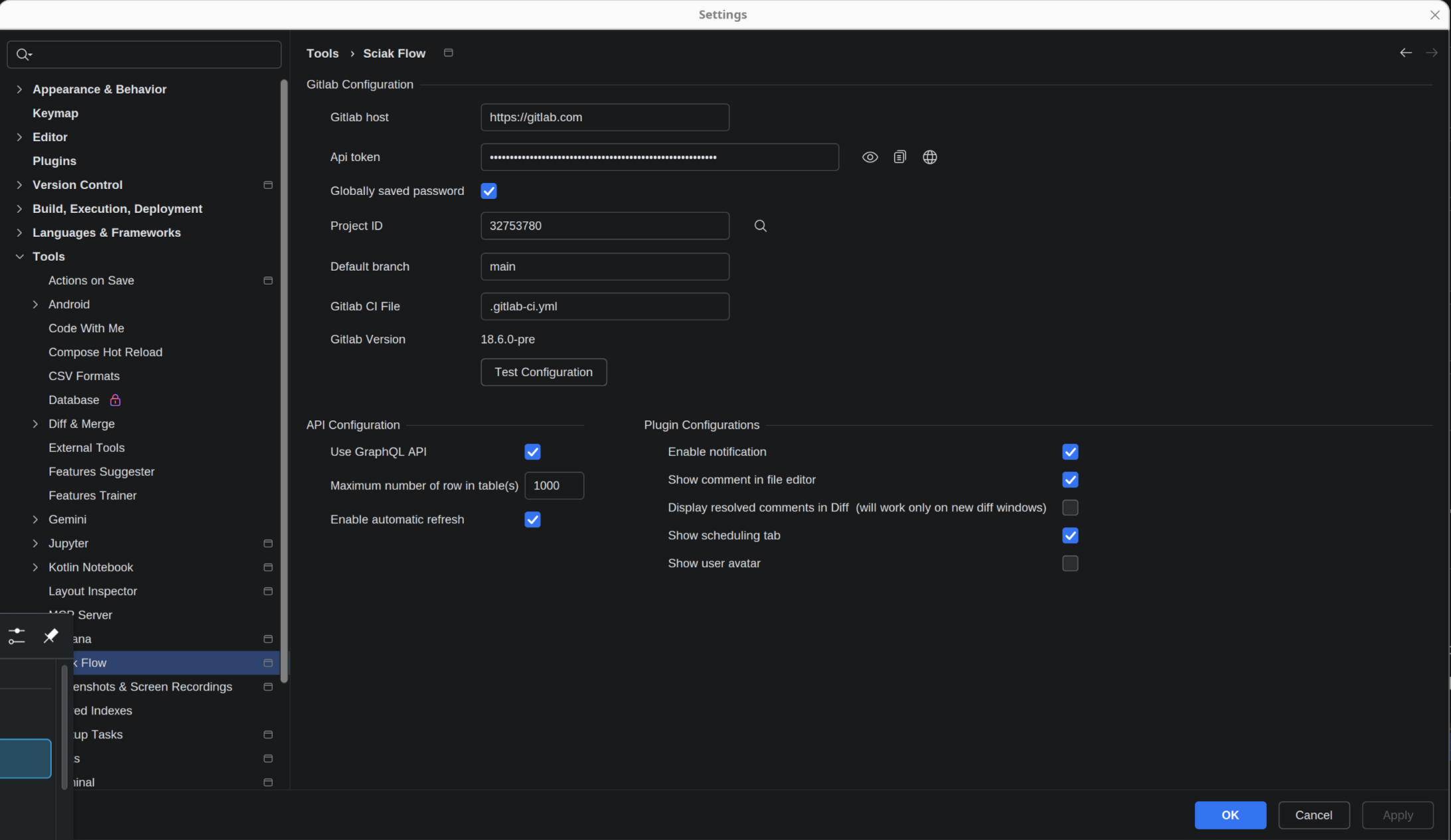
Configure your GitLab host, Personal Access Token, and Project ID within IntelliJ.
- GraphQL Support
Option to use the GraphQL API for enhanced features.
- Customization
Customize the plugin's behavior, such as the maximum number of rows in tables, automatic refresh, and notifications.
- Filtering
Filter the pipeline by user.
- Sorting
Sort the pipeline and job tables by various criteria.
- Notifications
Enable/disable pipeline notification.
- Comments
Enable/disable the display of resolved comments in diff and the display of comments in the editor.
- Scheduling
Enable/disable the scheduling tab.
Other
- Open in Browser
Open pipelines, jobs and merge request in the browser.
- Download Artifacts
Download job artifacts directly from the IDE.
- Test report
Open the test report of a job.
- Sorting
Sort the pipeline and job tables by various criteria.
- Filtering
Filter the pipeline by user.
- Refresh
Refresh the pipeline, job and merge request list.
- Shortcuts
Use shortcuts to trigger pipelines, jobs and create merge request.
- Diff
Show the diff of a file in a merge request.
- Patch
Download the changes as patch.
- Apply Patch
Apply the changes to the current branch.
- Comments
Show comment in Diff and on MR.
- Images
Display images in MR and comments.
- Draft MRs
The plugin doesn't support the creation of draft MRs.
Benefits
- Increased Productivity
Reduce context switching between IntelliJ and GitLab.
- Streamlined Workflow
Manage pipelines and Merge Requests more efficiently.
- Improved Collaboration
Review code and provide feedback directly within the IDE.
- Enhanced Visibility
Monitor pipeline and job status in real-time.
- Customization
Customize the plugin to fit your needs.
Getting Started
Getting Started
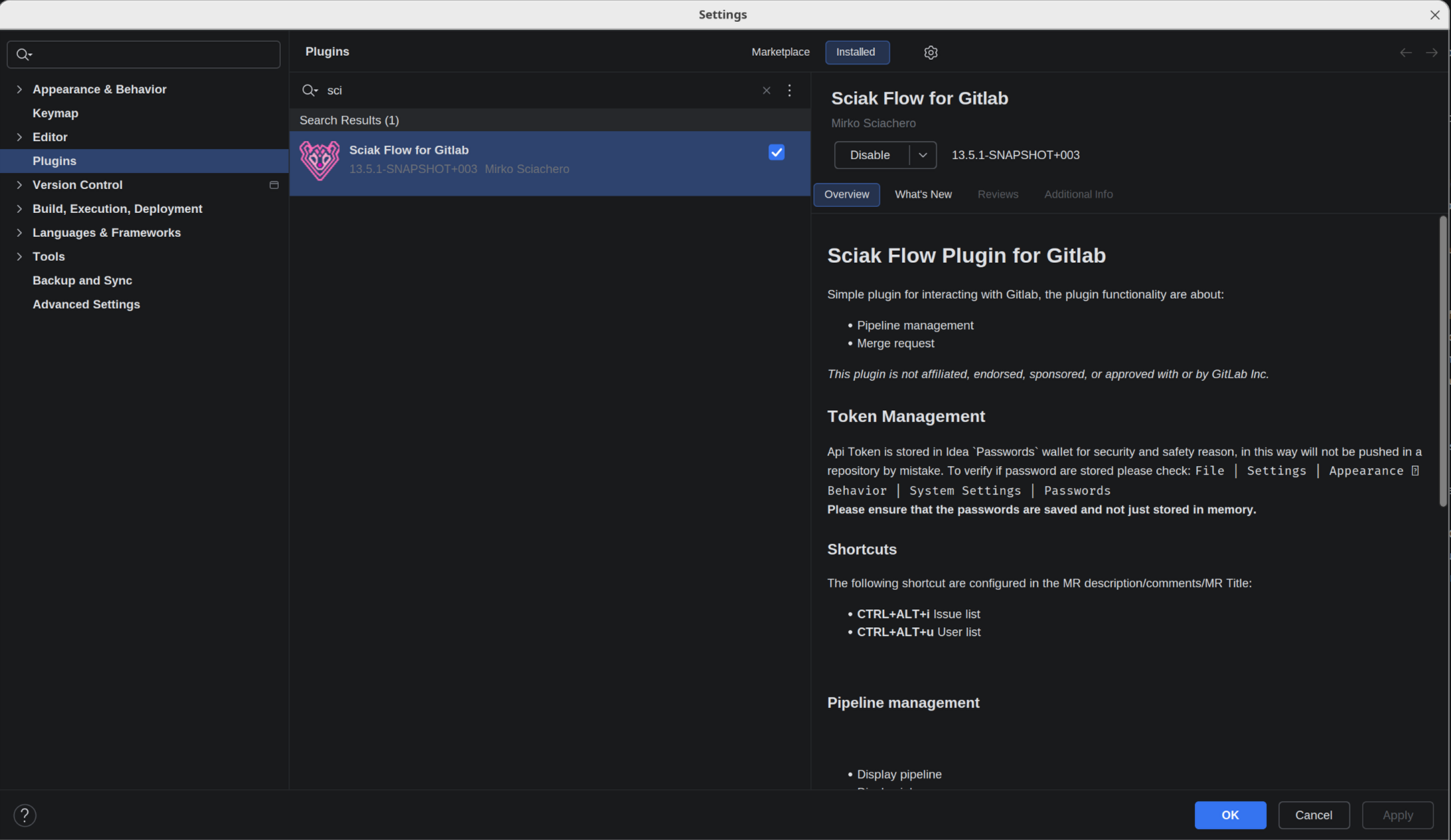
Install the Easy GitLab plugin from the JetBrains Marketplace.
Configure your GitLab host, Personal Access Token, and Project ID in the plugin settings.
Start managing your pipelines and Merge Requests directly within IntelliJ!
This plugin is in active development, and new features are being added regularly.
Multi repo project
This plugin doesn't support multi-repo project, each project must be a single Gitlab repository, there are lot of reason why should be a single repository and from the plugin perspective will be really difficult to define on which repo a merge request should be open, if has to open more than one, etc.
In addition, a lot of features (like jump to source, diff, etc.) will have to do some guessing on which repo will go and not work really properly. The same will apply to Git subproject.
IntelliJ Client
Plugin support IntellJ Client version 2025.2+ without any major problem.
Some changes to allow better integration with client:
Make Git4Idea, yaml and markdown plugins optional
Create default implementation for them